
Join MIT Secure Wi-Fi
Follow these steps if you are on campus and unable to access the Internet.
- Click on the globe with a prohibitory sign in your taskbar.
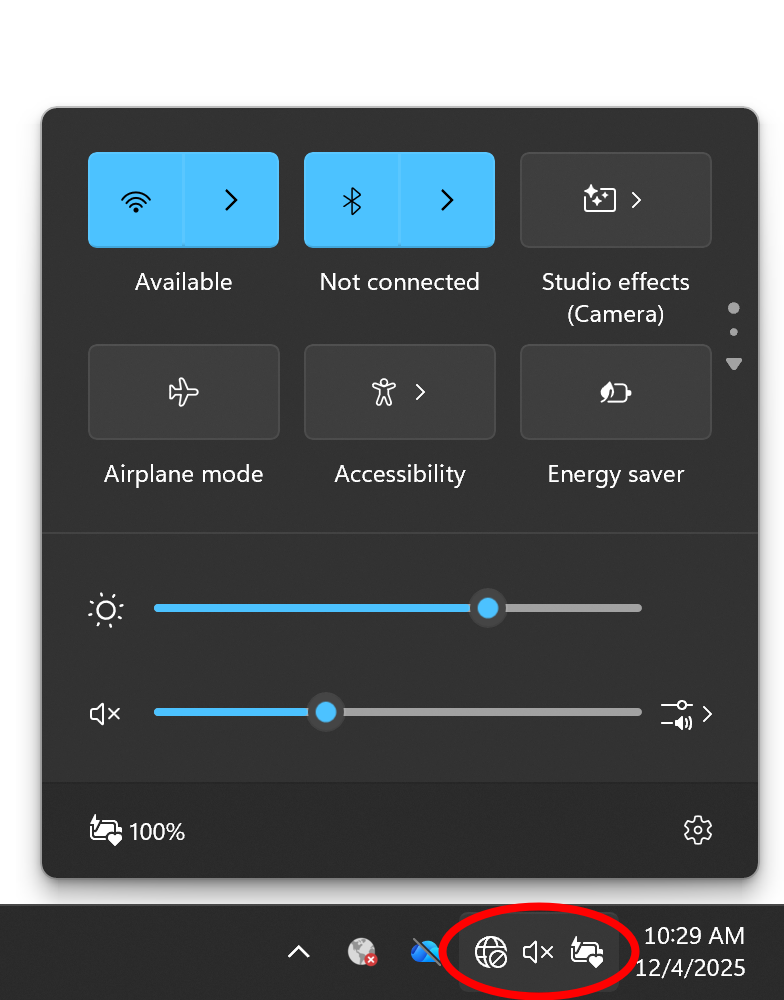
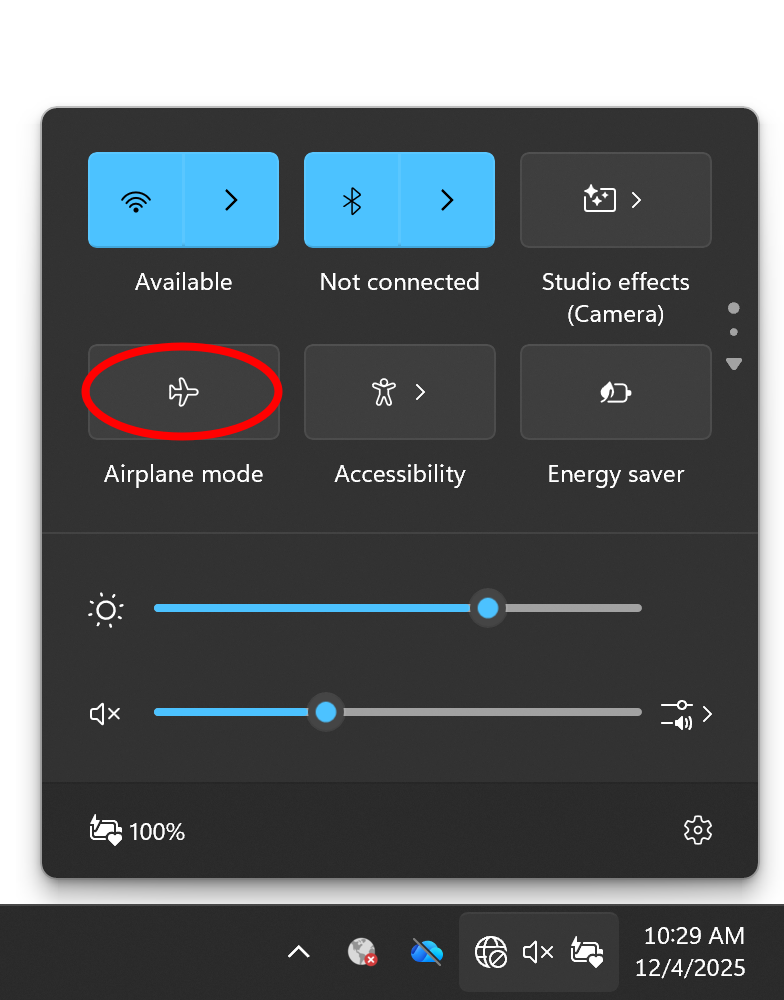
- Make sure your Wi-Fi is turned on and airplane mode is disabled.
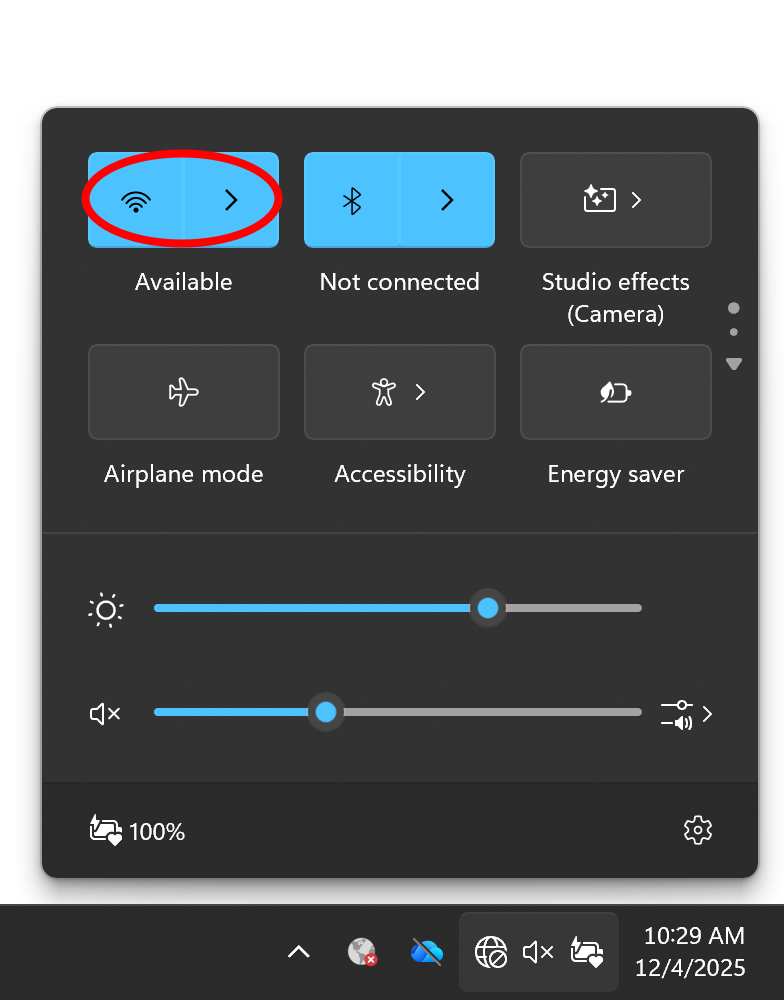
- Click on the Wi-Fi button's right-facing arrow to select the MIT SECURE network from the available options.
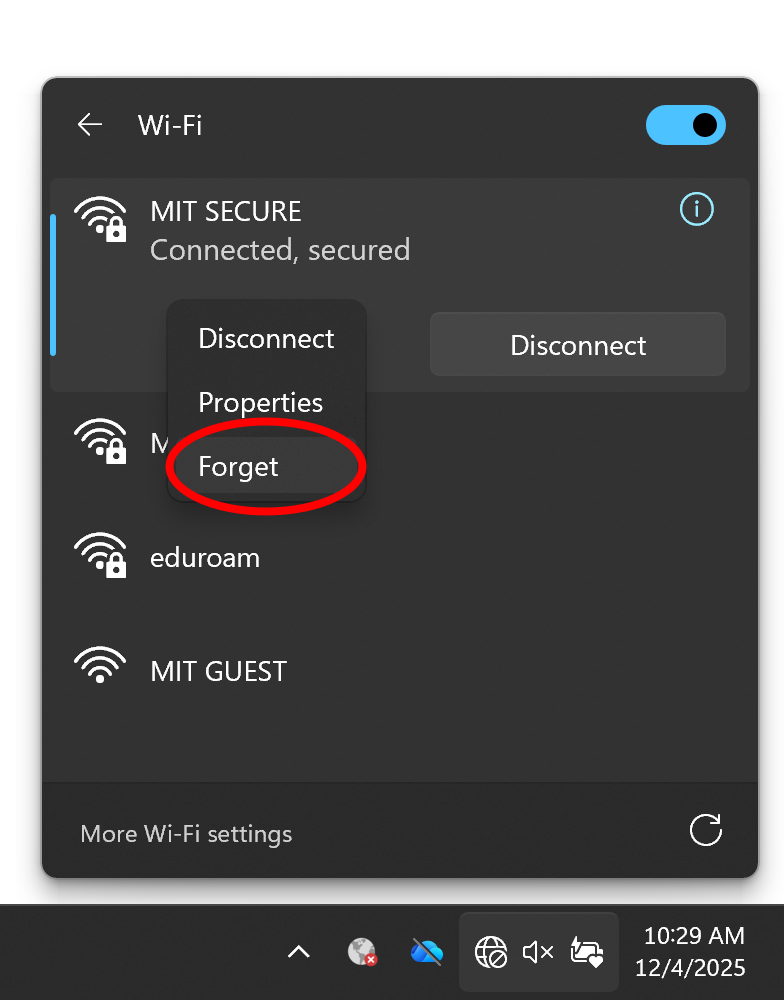
- If you are already connected to but can't access the Internet, right-click on MIT SECURE and choose Forget.
- Click the checkbox to Connect Automatically and then click Connect.
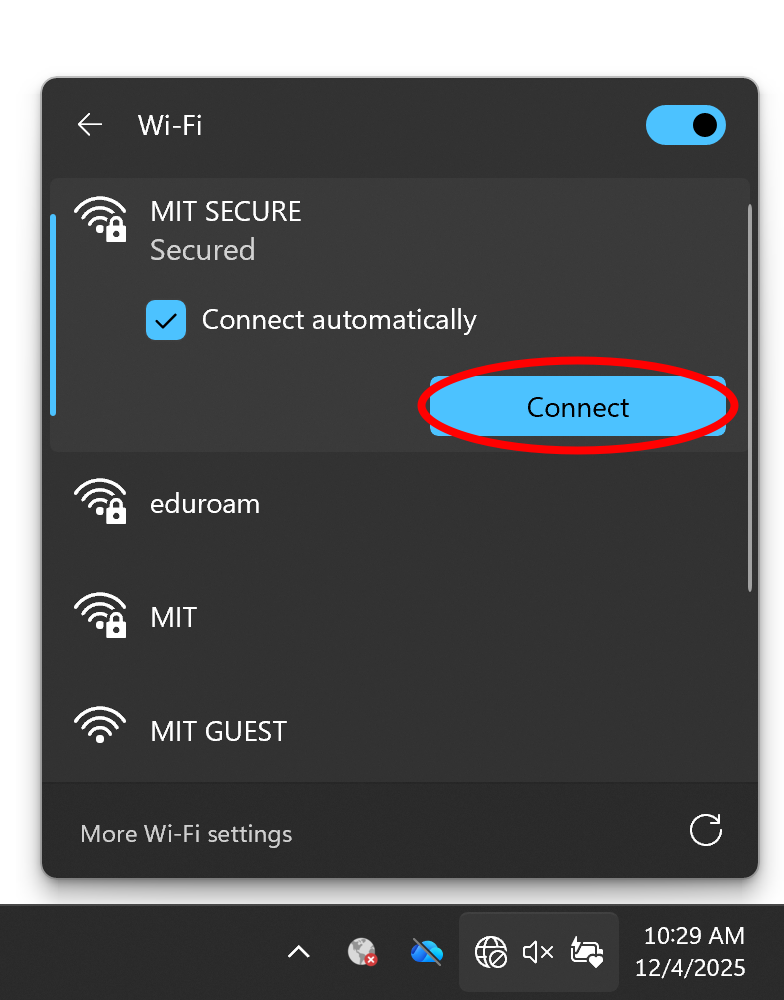
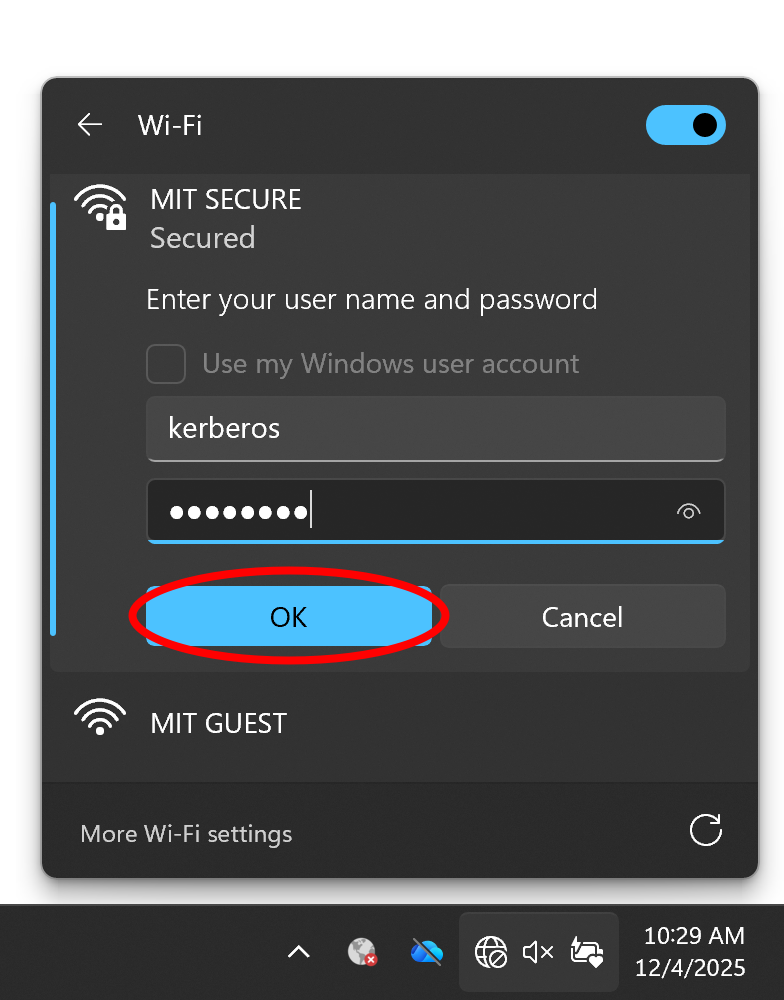
- You will be prompted to enter your Kerberos username and password. Click OK
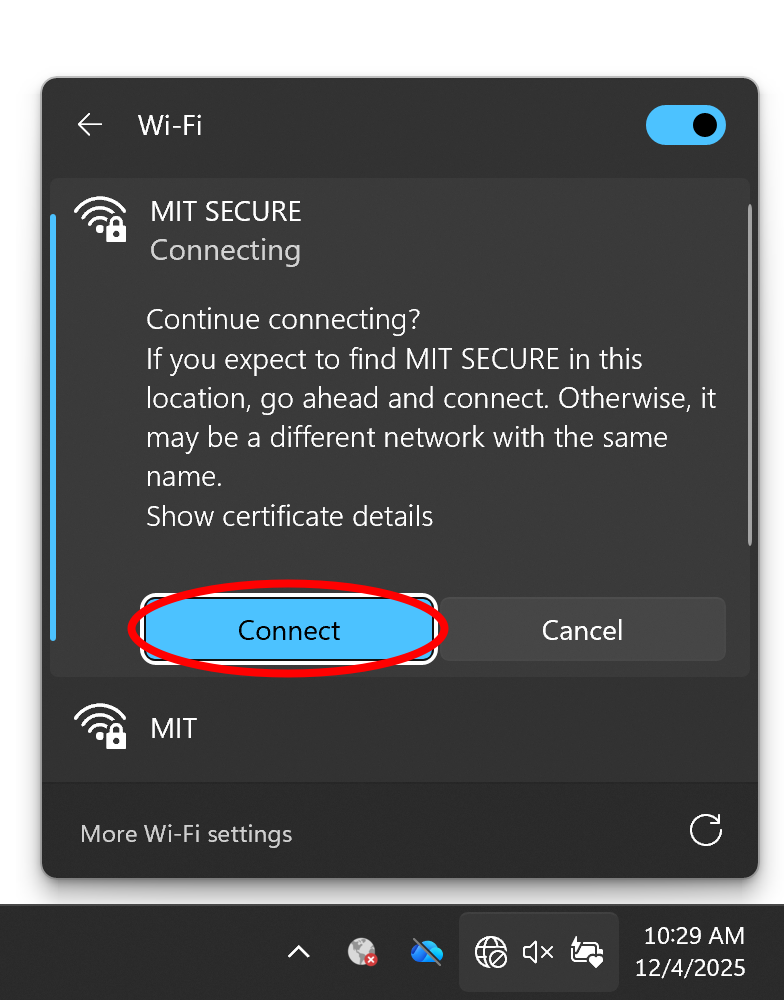
- Ignore the warning about connecting form a unknown location and click Connect.
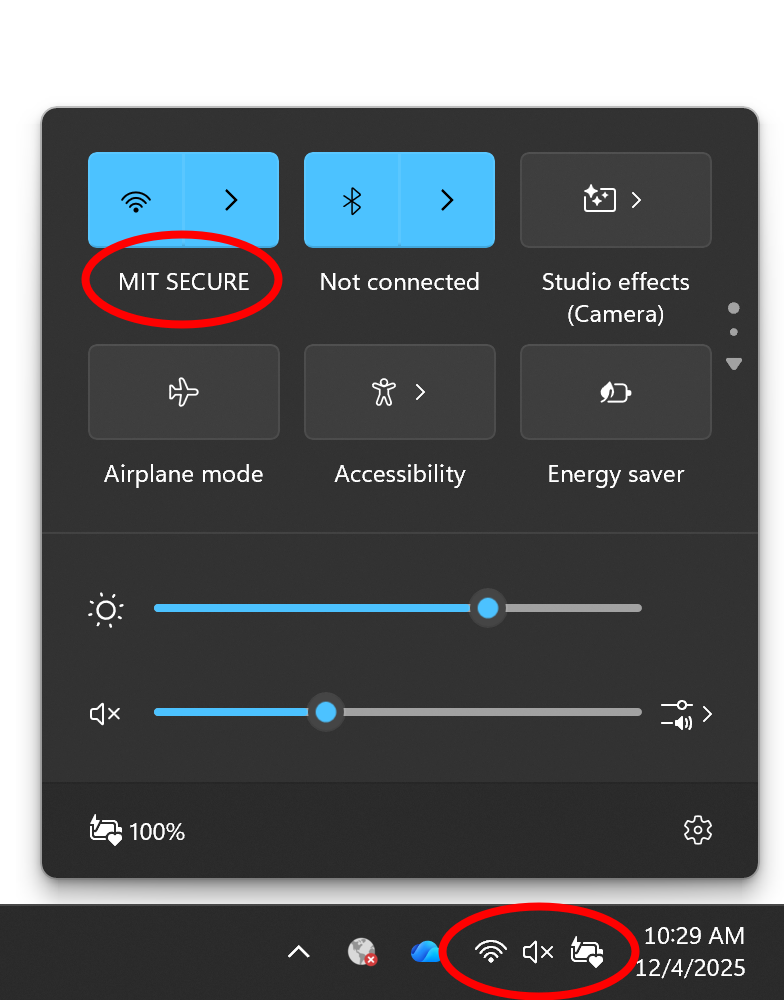
- After a couple of seconds, you should now be connected to MIT Secure and can access the Internet normally.
If you are still experiencing difficulties connecting to MIT Secure, repeat steps 4-8 again or try connecting to the MIT Wi-Fi..
